ML RadioForge

Your online radio.
Run by you, no tech skills needed.

Upload your music, build playlists, and go live — with a simple dashboard built for people who've never touched a streaming control panel before. For individuals, shops, gyms, bars, and anyone who wants their own radio.

Live platform, continuously improved

See how it works

One video, the whole product.

From your very first login to the dashboard, to every feature the platform offers — see exactly what you'll get before you buy.

What you can do with this platform

One dashboard. Your whole radio station.

No terminal, no hidden configuration. Every feature has a clear name and a clear place.
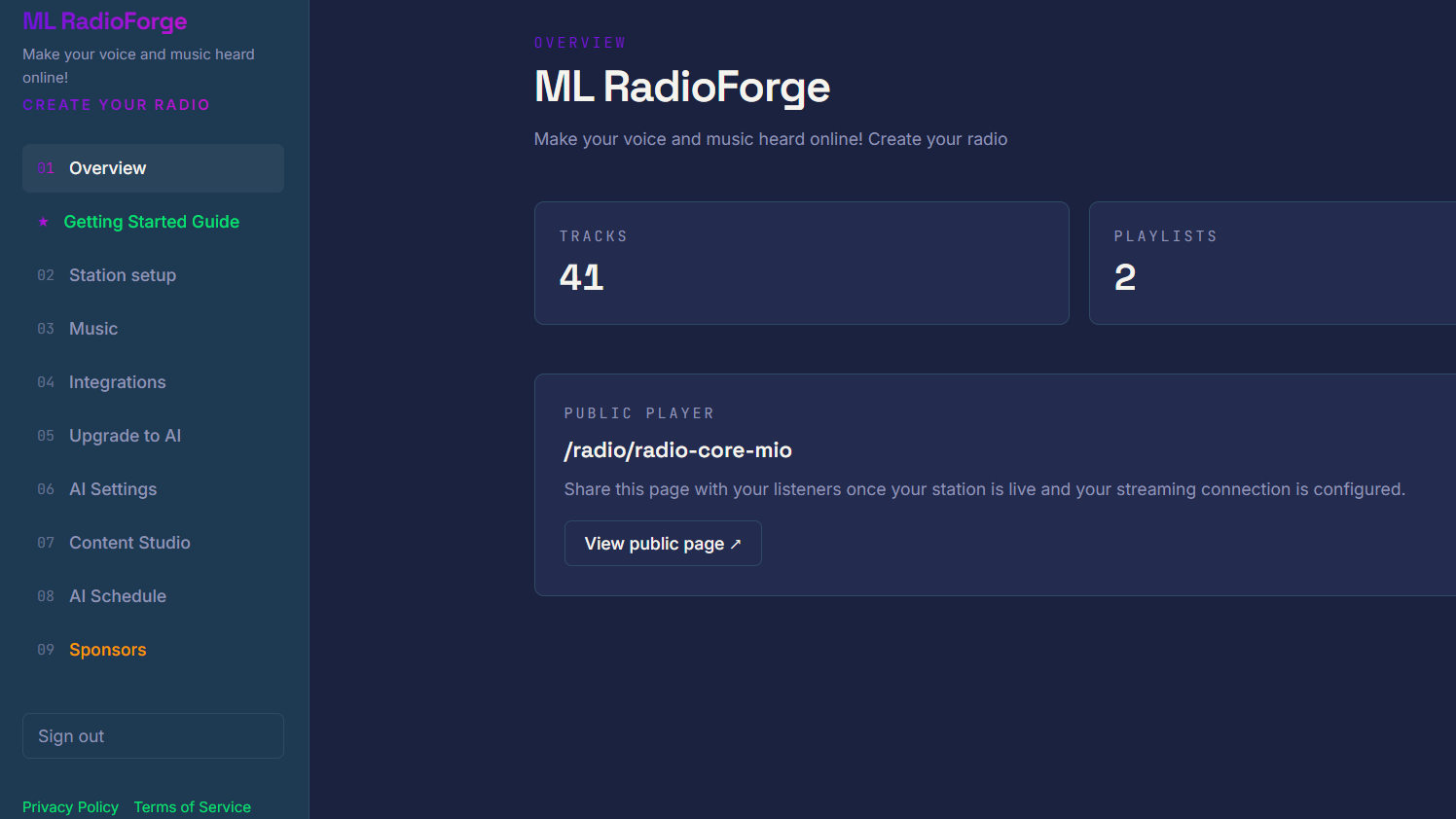
Dashboard Overview
OVERVIEW

Your dashboard, always under control

The moment you log in, you see how many tracks you've uploaded, how many playlists are active, and the direct link to your public page — all at a glance.
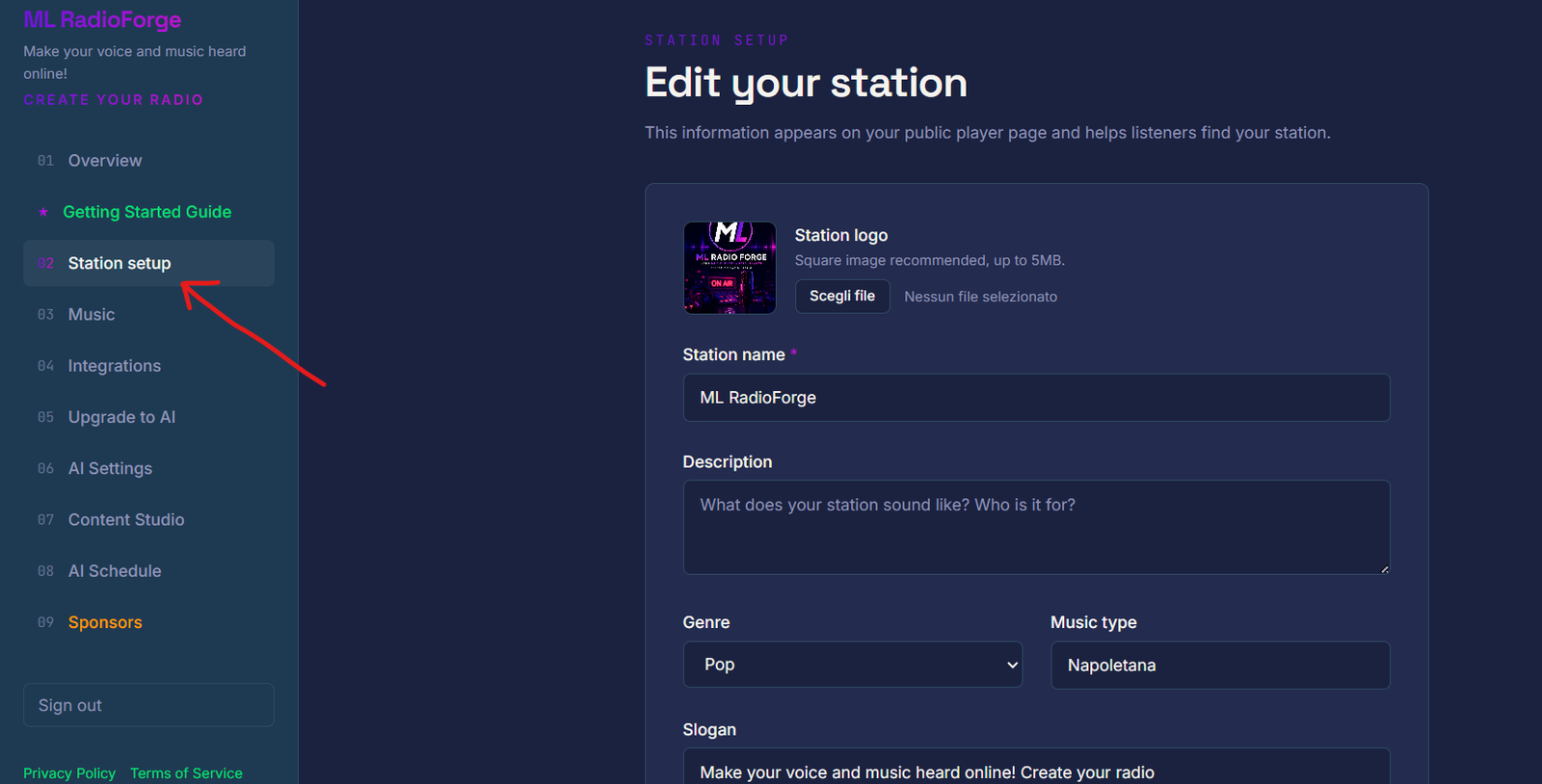
Station setup
STATION SETUP

Set up your station in minutes

Name, description, genre, slogan, logo — give your station an identity in just a few fields, no technical skills needed.
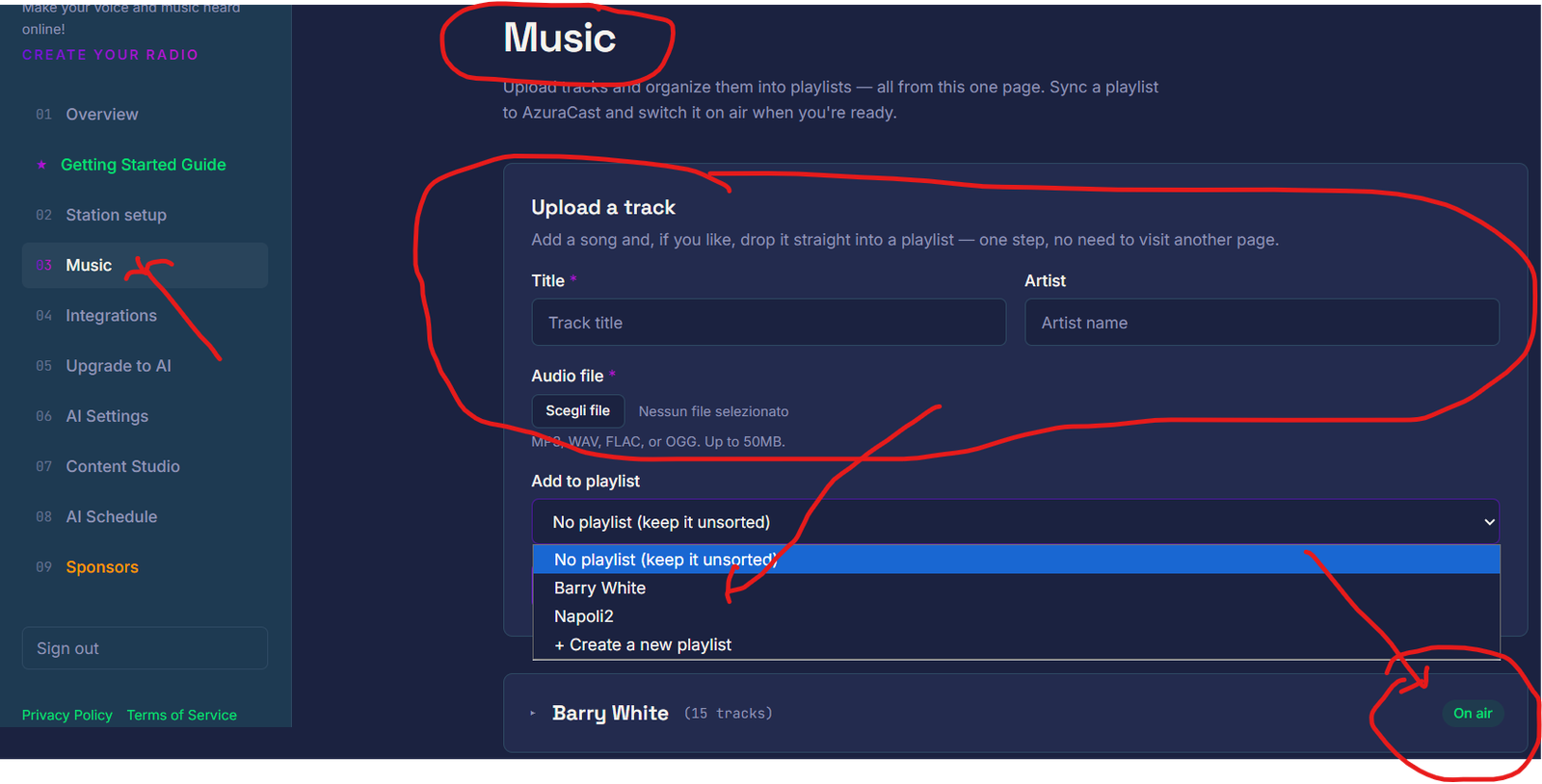
Music
MUSIC

Upload, organize, broadcast

Upload your tracks, group them into playlists, and decide what goes on air — all from a single page, with no jumping between screens.
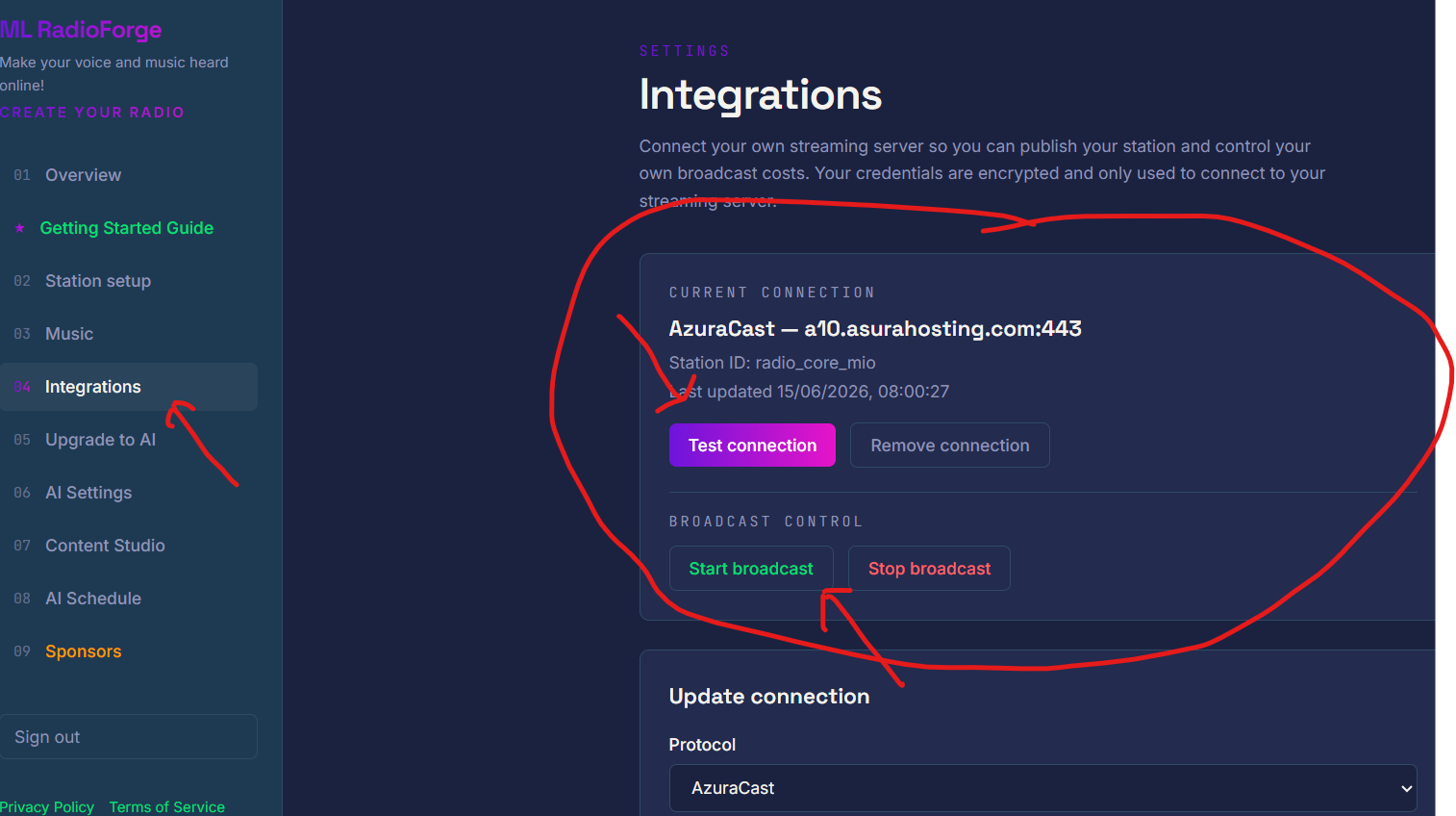
Integrations
INTEGRATION

Connects to your hosting

The platform talks to your AzuraCast account: starting or stopping the broadcast, syncing your music — no need to open the technical panel yourself.
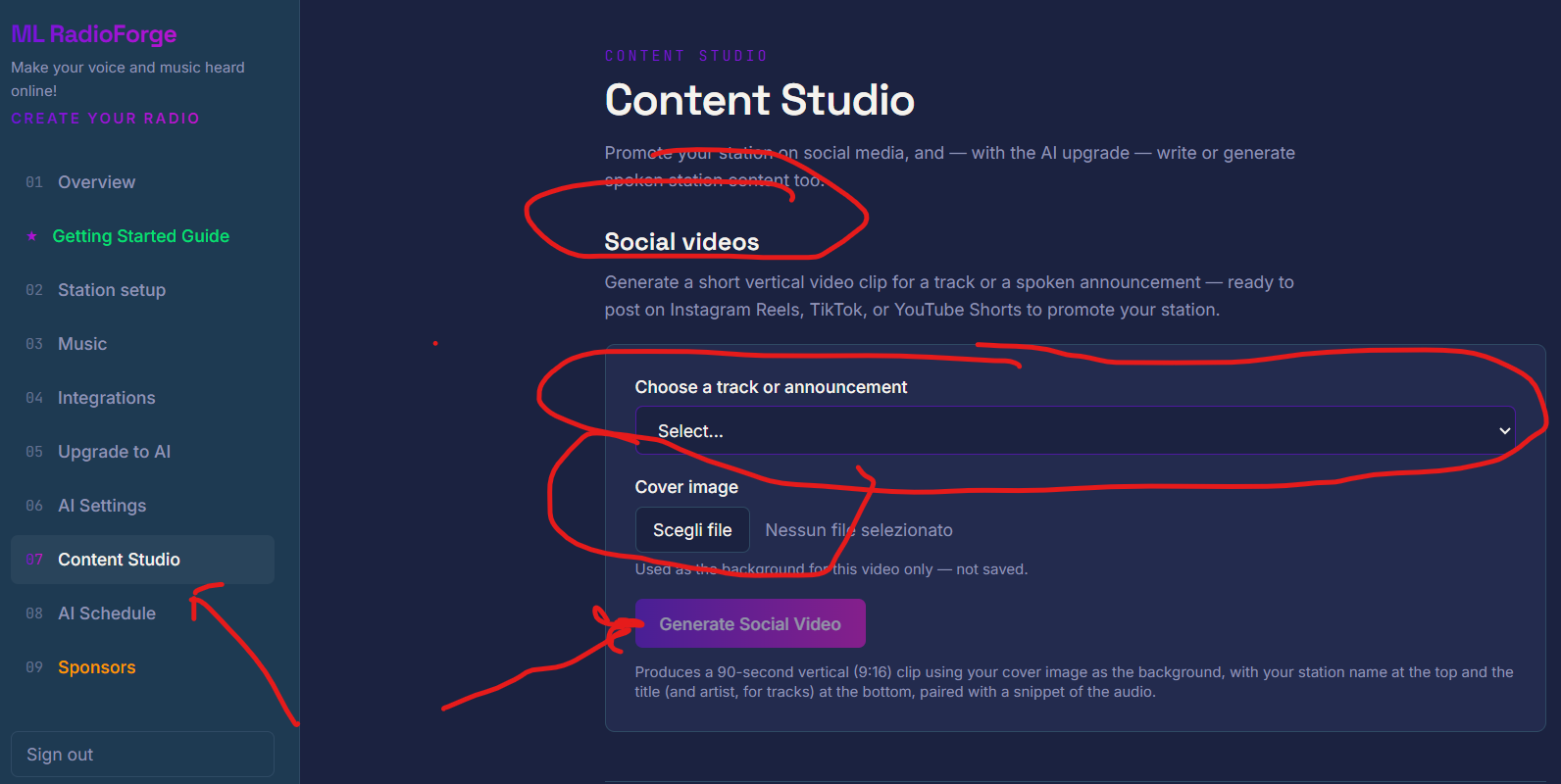
Content Studio
SOCIAL VIDEOS

Promote yourself on Instagram and TikTok

Generate a vertical video in seconds, from a track or an announcement, ready to post on Reels, TikTok, or YouTube Shorts.
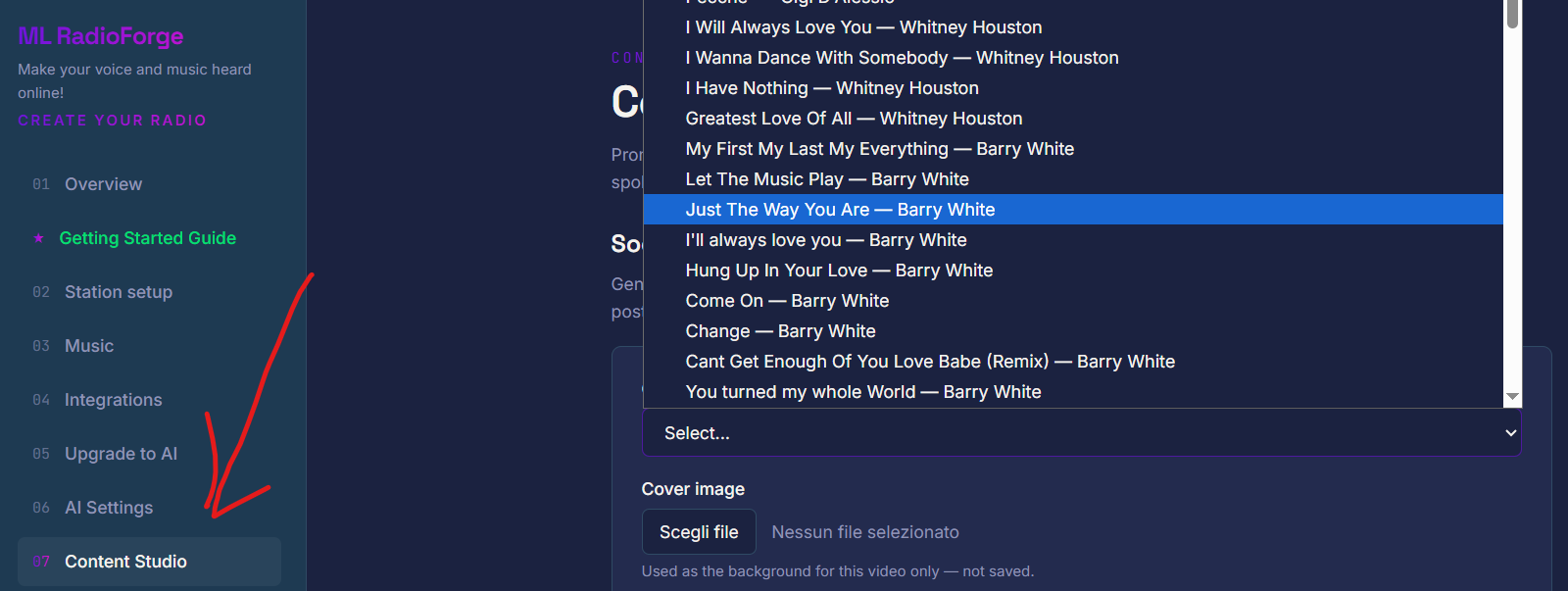
Social video selection
SOCIAL VIDEOS

Pick a track or an announcement

Select what you want to promote from your library, upload a cover image, and within seconds you have a video ready to post — for tracks and for announcements alike.
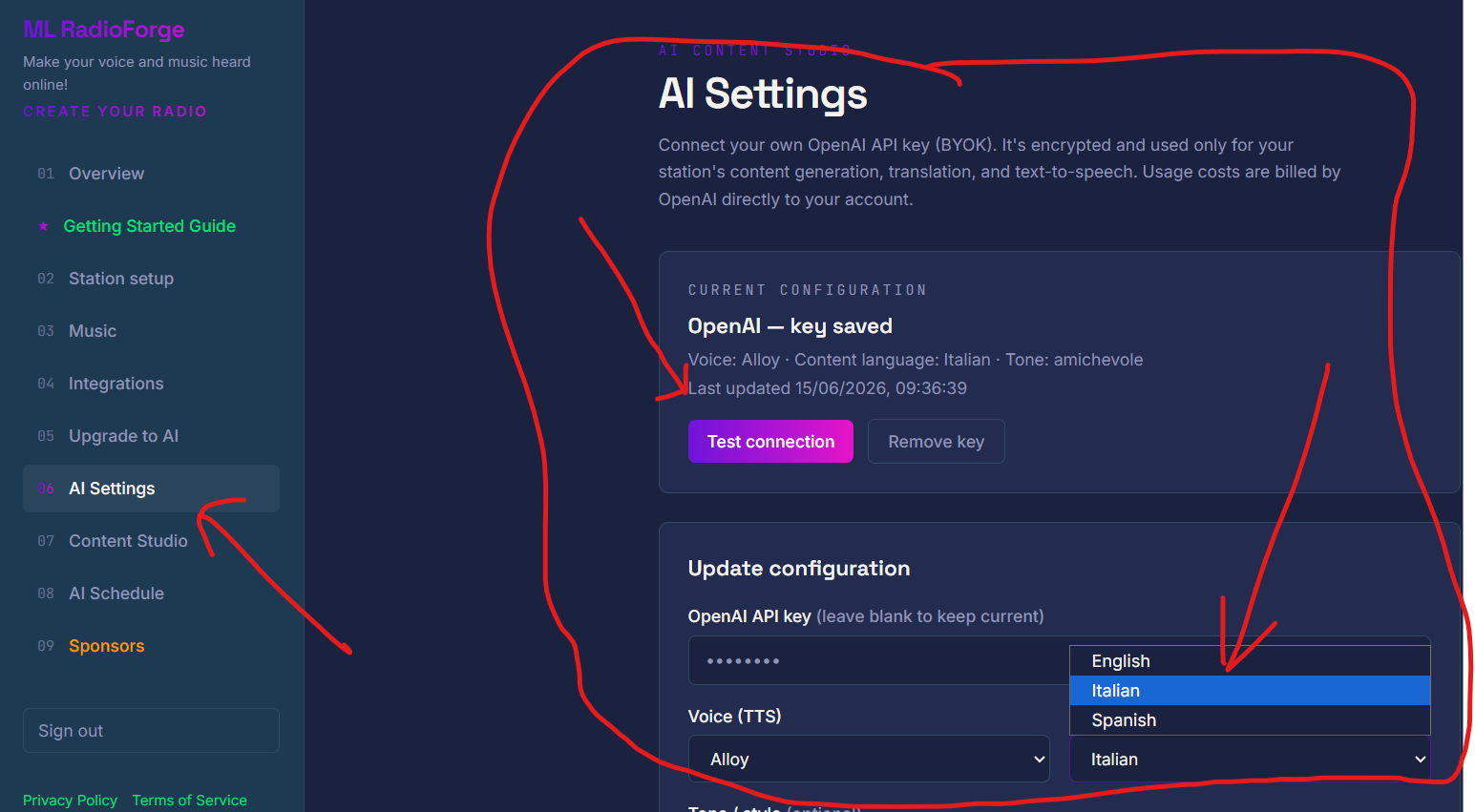
AI Settings
AI CONTENT · V2 ONLY

A voice for your station

Write or generate announcements, station IDs, and promos with AI — then turn them into spoken audio, in three languages. Connect your own OpenAI account in seconds.
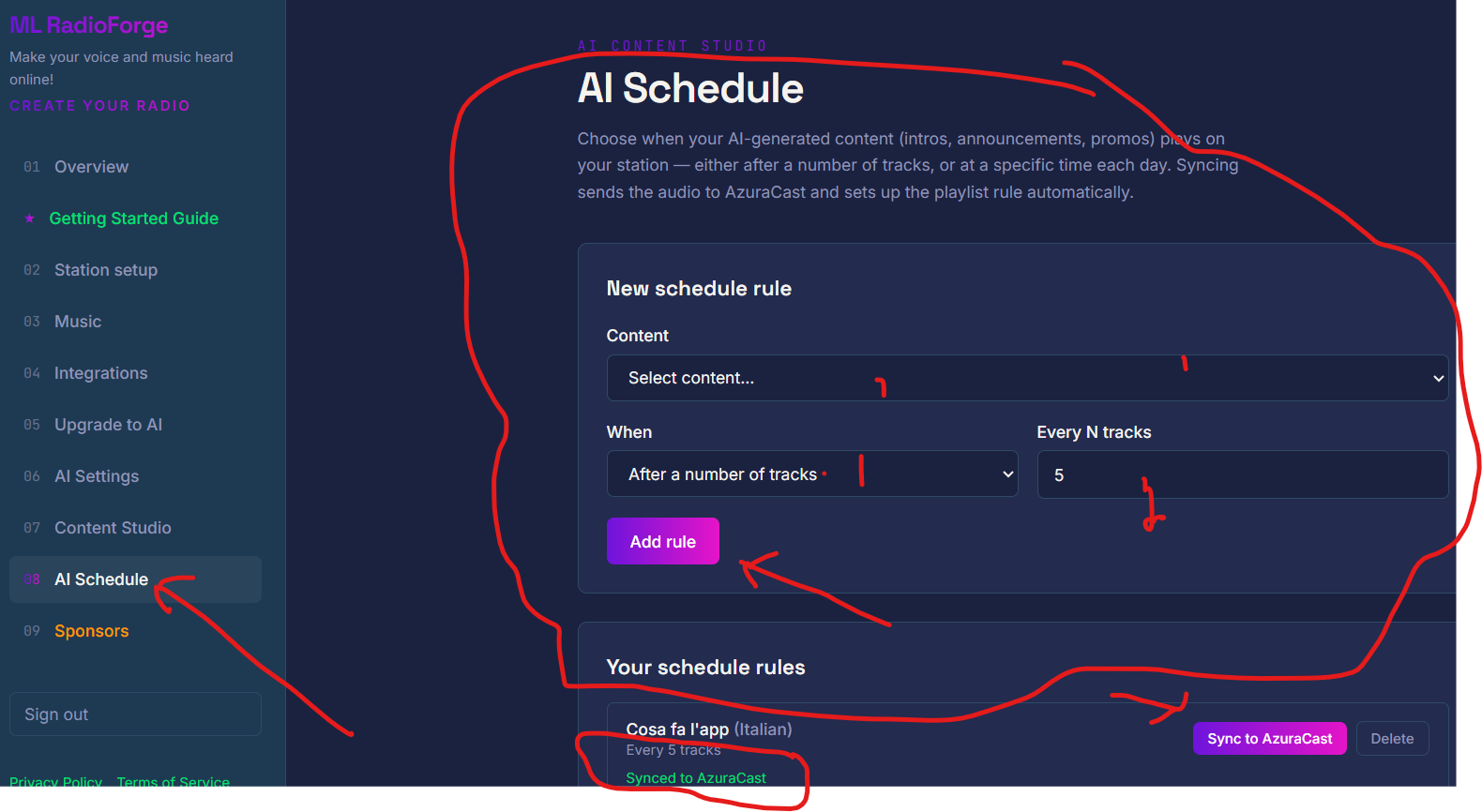
AI Schedule
SCHEDULING · V2 ONLY

Automatic announcements

Decide when an announcement enters rotation: after a certain number of tracks, or at a fixed time every day.
How you can earn

An online radio station isn't just a way to be heard: it's a real source of income.

Here's how, concretely.

DIRECT ADVERTISING

Sell ad spots to your contacts

Got a shop nearby, a gym, a restaurant that wants to get noticed? Make a deal: record their announcement with Content Studio, schedule it to play automatically with AI Schedule, and bill them yourself — running costs are practically zero.

SOCIAL VIDEOS

Create videos to post on social media

Generate videos for Instagram, TikTok, and YouTube Shorts in seconds, no editing software needed. Promote your station — or your sponsors themselves — as an extra service on top of the ad spot.

Sponsors
VISUAL SPONSORS

Add sponsors to your public page

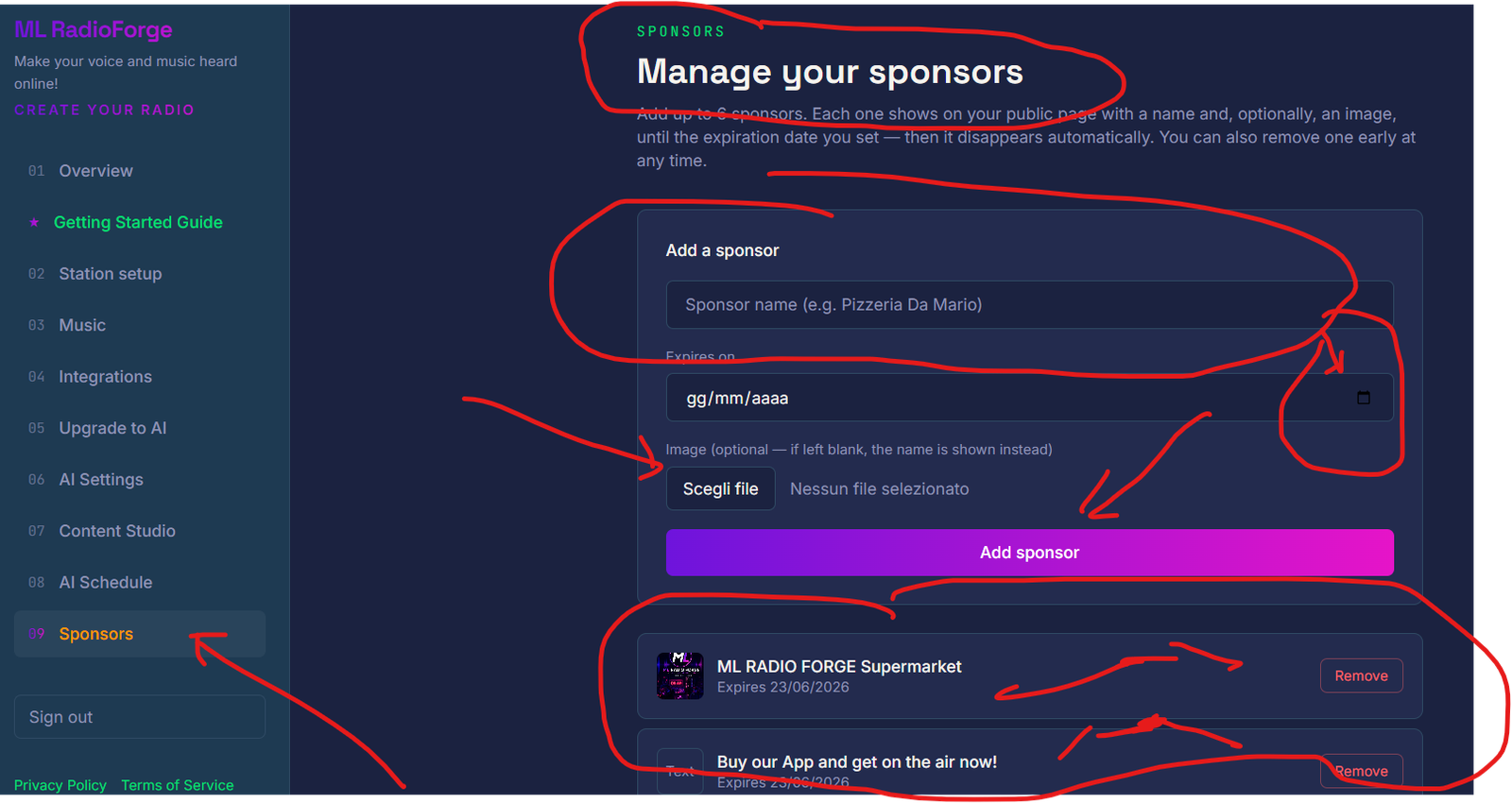
With the Sponsors feature, show up to 6 local businesses right on the page your listeners see while tuning in — with an expiration date you set, matching your specific deal. Once the deal ends, the sponsor disappears automatically.

Promote your own business too. If you already run a bar, a shop, or a local business, having your own radio station boosts your visibility and keeps customers coming back — value that turns into sales, even if it doesn't come directly from the platform.

How much you can earn is up to you — your contacts, the deals you make, and how much time you put into building them. What we give you is the technical tool to do it, in a simple way, with no technical skills required.

Two versions, one platform

Pick exactly what you need.

V1 gives you everything to run your radio station. V2 adds a spoken voice and AI-generated content, for an even more professional sound.

⚡ Launch pricing applies to the first 50 licenses sold only. After that, the price goes back up.

Version 1 — Radio

Run your radio station

Everything you need to upload music, organize it, go live, and promote yourself on social media.

$55.00 $23.99

First 50 licenses only — then $55.00

🛡️ 14-day money-back guarantee

  • Full dashboard for your station
  • Unlimited music uploads and playlists
  • Public listening page, ready to share
  • Social video generation (Instagram, TikTok, YouTube Shorts)
  • Sponsors: up to 6 ad spots on your public page
  • Connection to your AzuraCast hosting
  • Built-in step-by-step guide
Choose V1
Upgrade Version 2 — OTO

Give your station a voice

Everything in V1, plus the ability to generate spoken content with AI and schedule it automatically.

$72.00 $33.99

First 50 licenses only — then $72.00

🛡️ 14-day money-back guarantee

  • Everything included in V1
  • AI script writing and translation (English, Italian, Spanish)
  • Realistic spoken voice generation from that text
  • Automatic scheduling of announcements into rotation
  • Social video generation from announcements too, not just tracks
Choose V2

⚠️ V2 is an upgrade: it requires purchasing V1 first, which it's built on top of. It cannot be bought on its own.

⚠️ V2 is an upgrade: it requires purchasing V1 first, which it's built on top of. It can't be bought on its own.

Our commitment

Loyalty is what sets us apart.

We built this platform to avoid the fate of so many cheap apps that disappear after a few months, leaving customers without access to what they paid for. We'll do everything we can, with everything we've got, to keep ML RadioForge active and running over time — not as an absolute promise no one can truly guarantee, but as the real commitment behind how we've chosen to build our projects, as shown by CorsairForge too.

Why don't we include hosting and AI in the price?

It's not a limitation, it's a choice. If we included broadcasting hosting and AI costs in the license price, we'd have to raise it significantly, or turn it into a monthly subscription — exactly what we want to avoid. By having you use your own hosting and your own AI account, we can keep the license price low, a one-time payment, and keep developing and maintaining the platform over time.

In the spirit of loyalty, we want to be fully transparent: we also have real costs to keep ML RadioForge running — servers, development, support, ongoing updates. These aren't expenses we want to hide or pass on by raising the price: they're the reason we structured the license this way, to stay sustainable over time without charging the people who choose us more.

Before you buy, read this

Honesty before the sale.

We don't promise what we can't guarantee. Here's exactly what you get — and what you don't.

✓ What we guarantee

Full access to the dashboard, with no time limit, for the version you purchase.
In V1: music management, playlists, public page, and social video generation, always included.
In V2: everything above plus spoken AI content and automatic scheduling.
Updates and fixes as the platform keeps improving.
A step-by-step guide inside the dashboard, written for people with no technical background.

✕ What's NOT included

The hosting that actually broadcasts. You need a separate AzuraCast account (free software); many providers offer it for just a few dollars a month.
Your own OpenAI account, if you have V2 — usage costs are minimal, but they're yours to pay, not ours.
Rights to the music you upload. It remains your responsibility to broadcast only content you're allowed to use.
Compatibility with hosting other than AzuraCast. Today, the platform only works with that.
We don't guarantee earnings: the platform gives you the tools to sell ads and create content, but finding sponsors and clients is up to you — it's not an automatic sponsor-finding service.

How it works

From purchase to your first broadcast.

01

Get an AzuraCast hosting account

If you don't already have one, you can set one up in minutes with a provider of your choice — it's not included in the license, but it's affordable and widely available.

02

Connect your credentials

Enter your server address, station ID, and API key — three pieces of information your provider gives you when you sign up.

03

Upload your music

Add your tracks, organize them into playlists, and decide what goes on air — the dashboard handles the rest.

04

Share your station's link

Your public page is ready — share it with anyone, no login required to listen.

Real costs, no surprises

What it actually costs, beyond the license.

An honest estimate, based on typical costs for current users of the platform.

ItemTypical cost
AzuraCast hosting (required, for both V1 and V2)around $3–6 / month
OpenAI account (V2 only)a few cents per generated announcement
V1 license$23.99 one-time
V2 upgrade (optional)$33.99 one-time

These figures are estimates based on market prices at the time this page was written and may vary depending on the provider you choose.

💡

Still have questions before deciding?

This page lays out exactly what's included in V1, what V2 adds, and what comes with a separate cost — so you can decide with all the information in hand, before you buy.

Guarantee

14-day money-back guarantee.

Whether you choose V1 or V2, you have 14 days from purchase to decide if the platform is right for you. If you're not satisfied within that period, email mlbrand.ltd@gmail.com to request a refund.

Support

Need help? Reach out.

Whether you have V1 or V2, you can always email us with any question or issue.

✉️

mlbrand.ltd@gmail.com

For V1 customers: we answer every request as quickly as we can. For V2 customers: priority support, with faster responses, included as part of the upgrade.